
Stock and ordering
How Shops and Restaurants Can Stop Running Out of Best Sellers
Set a minimum for your top 20 items, count on your phone, get an alert before the shelf is empty and reorder by supplier. Shown in the ShelfAlert demo.
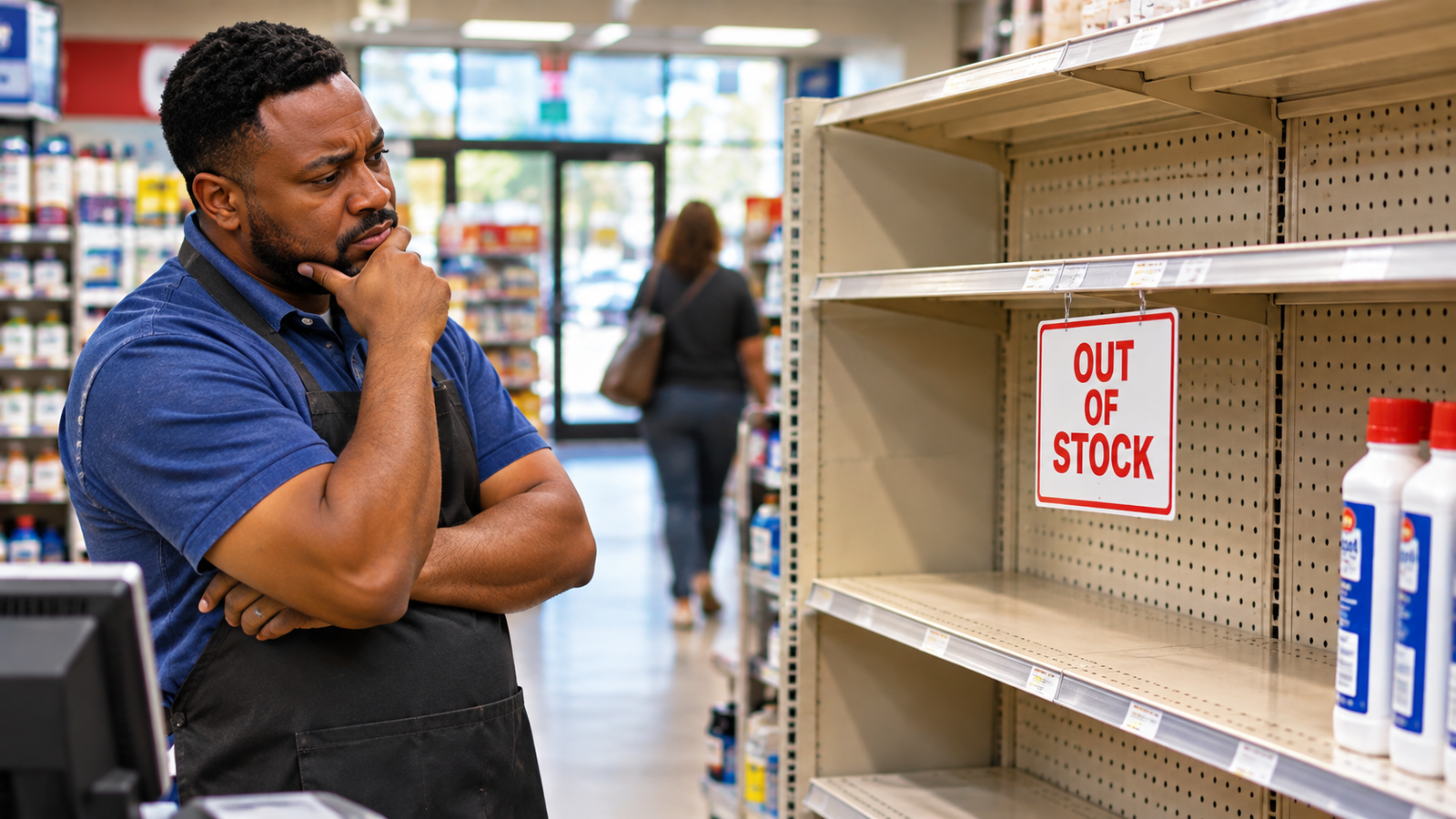
An empty shelf is more expensive than it seems. When your bestseller is gone, the customer doesn't wait. They go and buy something cheaper; they buy it elsewhere, or they just walk. In a restaurant it's even worse, really. You can have an item removed from the menu mid-Friday rush.
The majority of stock-outs are for the same reason, actually. No one ever noticed the item was running low until it was actually out of stock. Here's a simple system that deals with that, and a look at how ShelfAlert (our low stock tool) does it on the phone you already have.
Step 1: Know your top 20
You don't need to track every single item to stop yourself running out. Just start with the 20 items that are the most sold or the most important to the customer. In a café that might be espresso beans, milk, cups and the two pastries that everyone orders. In a shop it would be the products that people come in and ask for by name.
Write them down with three things alongside each one: who you buy it from, how long it takes to deliver and how many you sell in a typical week.
Step 2: Set a minimum for each one
A minimum is the figure that says 'order now'. Set it so that you still have sufficient stock to last until the next delivery arrives, plus a bit of buffer for a busy day.
You're selling approximately 2 bags of espresso beans a day. Your roaster delivers 3 days after you've placed your order. 2 a day x 3 days = 6 bags, plus 2 extra for a particularly busy day = a minimum of 8 bags. You'll order when you're at 8 or fewer.
Step 3: Count on a schedule, not when you remember
Pick a time each week (or each day if it's a fast moving item) to do the counting. It goes a lot quicker if you're just walking the shelves in order with a phone in your hand rather than a clipboard.
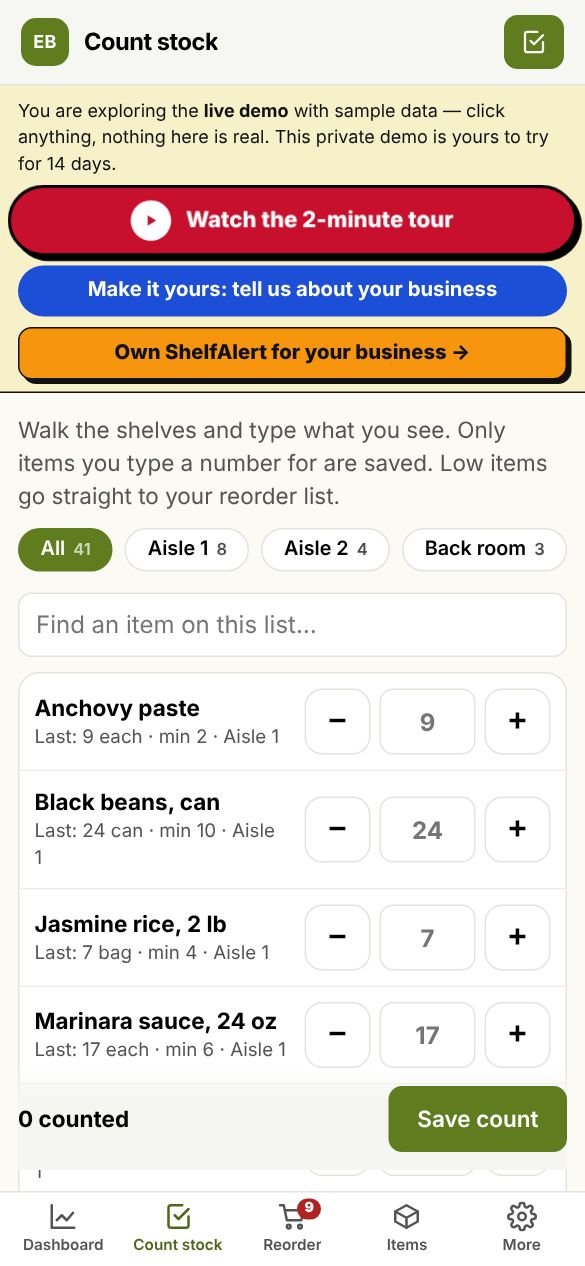
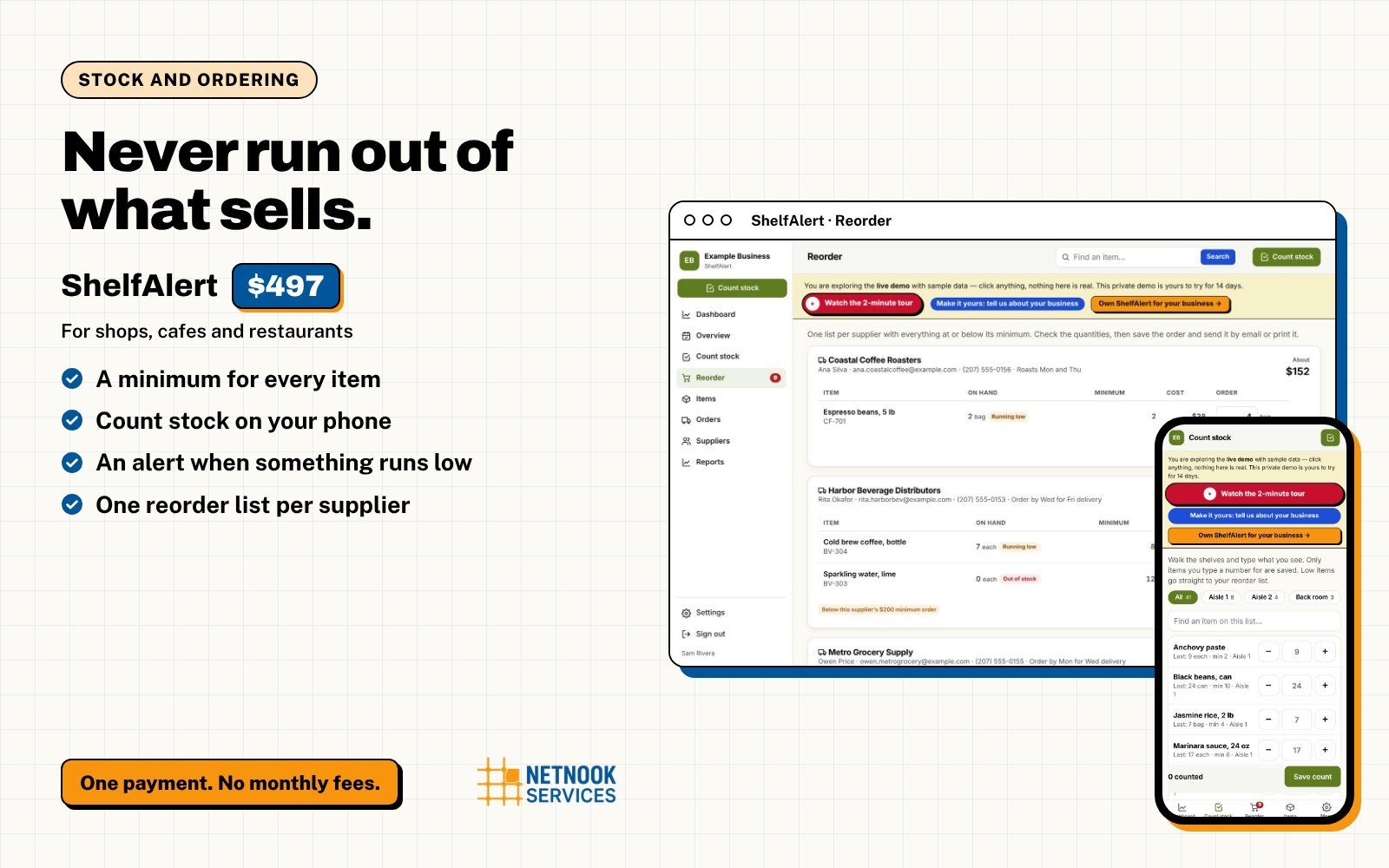
ShelfAlert groups the items by where they are (Aisle 1, Aisle 2, Back Room) and has big minus and plus buttons for each item. The staff only type in the items that they are actually counting and anything at or below its minimum is flagged immediately.
Step 4: Get an alert the moment something drops
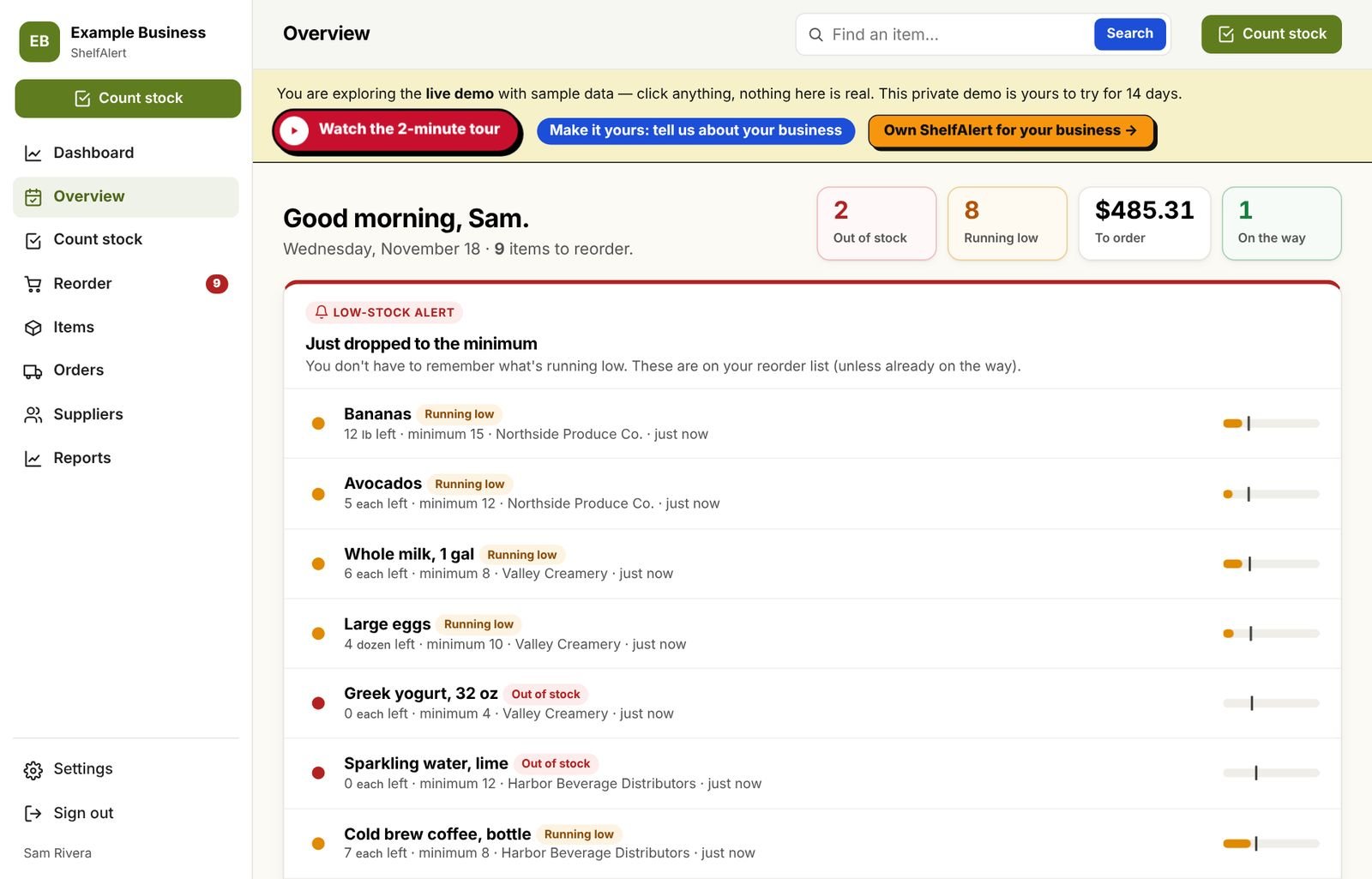
The point of a minimum is that you shouldn't have to remember it at all. When an item hits its minimum ShelfAlert will put it on the Overview under 'Just dropped to the minimum' and will email you so the reorder can happen before the shelf is actually empty.
Step 5: Reorder by supplier, in one go
Instead of one order per item, build one order per supplier. ShelfAlert makes a reorder list for each supplier with suggested amounts, warns you if you are under a supplier's minimum order, and opens your own email with the order already written. You can also print it as an order sheet.
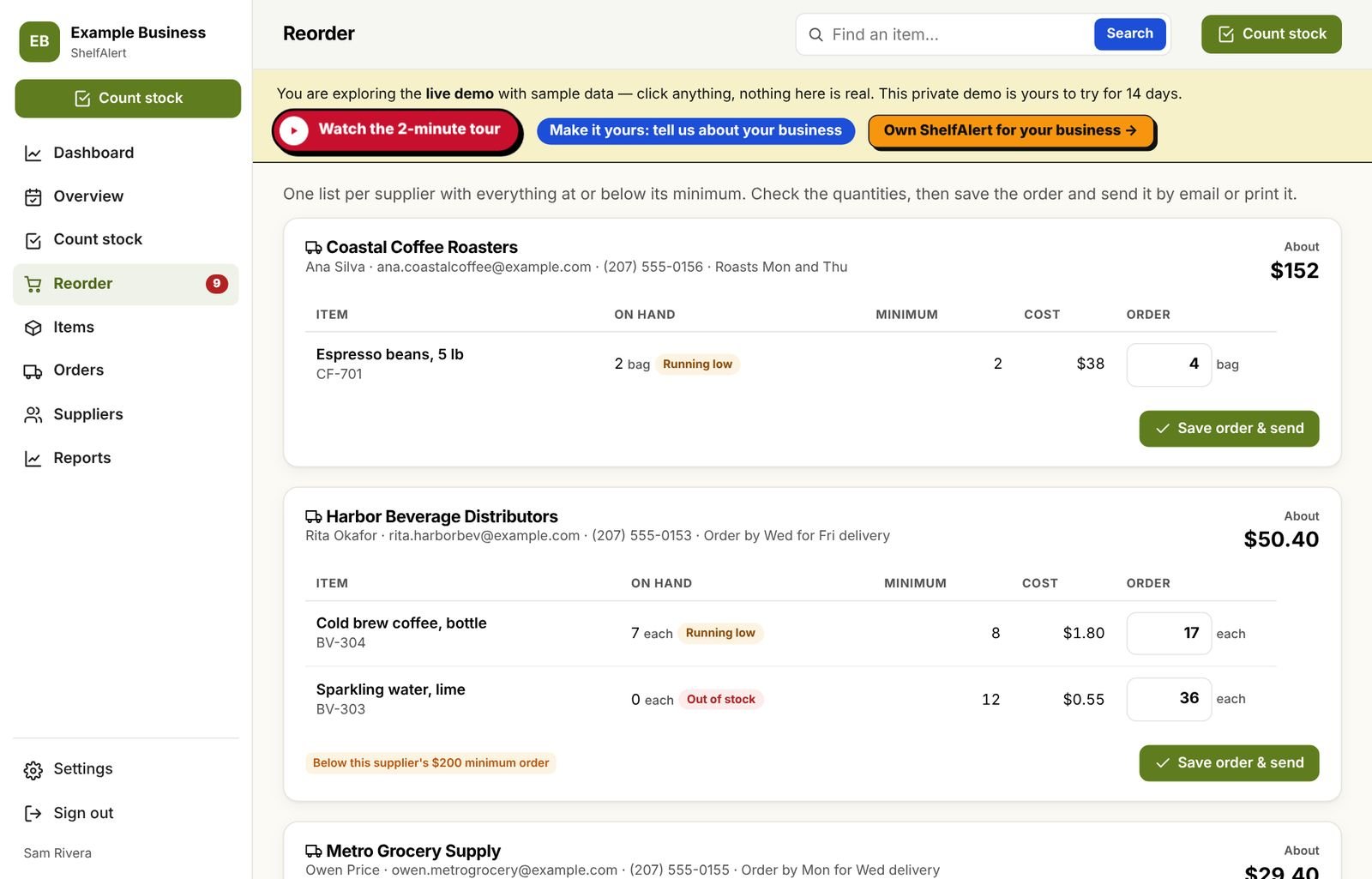
Items already on order stay off the list until the delivery arrives, so nobody orders the same thing twice.
Made by NetNook
ShelfAlertLow-stock alerts, phone stock counts and one reorder list per supplier, so best sellers never run out. One payment, no monthly fees.See it and try the free demoWhat one stock-out a week can cost
Say your best seller is generating around $150 a day in sales, and it's running out once a week. That's $150 x 4 = about $600 a month in sales that have simply walked out the door. Over a year, that's $7,200 from a single item.
The never-run-out checklist
- List your top 20 items with their supplier and delivery time.
- Set a minimum for each one: daily sales × delivery days, plus a little extra.
- Count on a fixed schedule, using a phone, walking the shelves in order.
- Get an alert when anything drops to its minimum.
- Order by supplier, once, from one list.
- Mark deliveries as received so your counts stay right.
- Once a month, check which items ran out and raise their minimums.
ShelfAlert's live demo comes loaded with a fictitious neighborhood market and café, 41 items and 6 suppliers so you can immediately try out the counting, the alerts and the reorder lists. It's a one off purchase with no monthly fees.